Vehicle History Check
Check a VIN
before you buy.
Start by identifying the vehicle, then review available information that may add useful context before you make your buying decision.
- Title History
- Accident & Damage
- Odometer
- Ownership
- Recalls
- Vehicle Specs
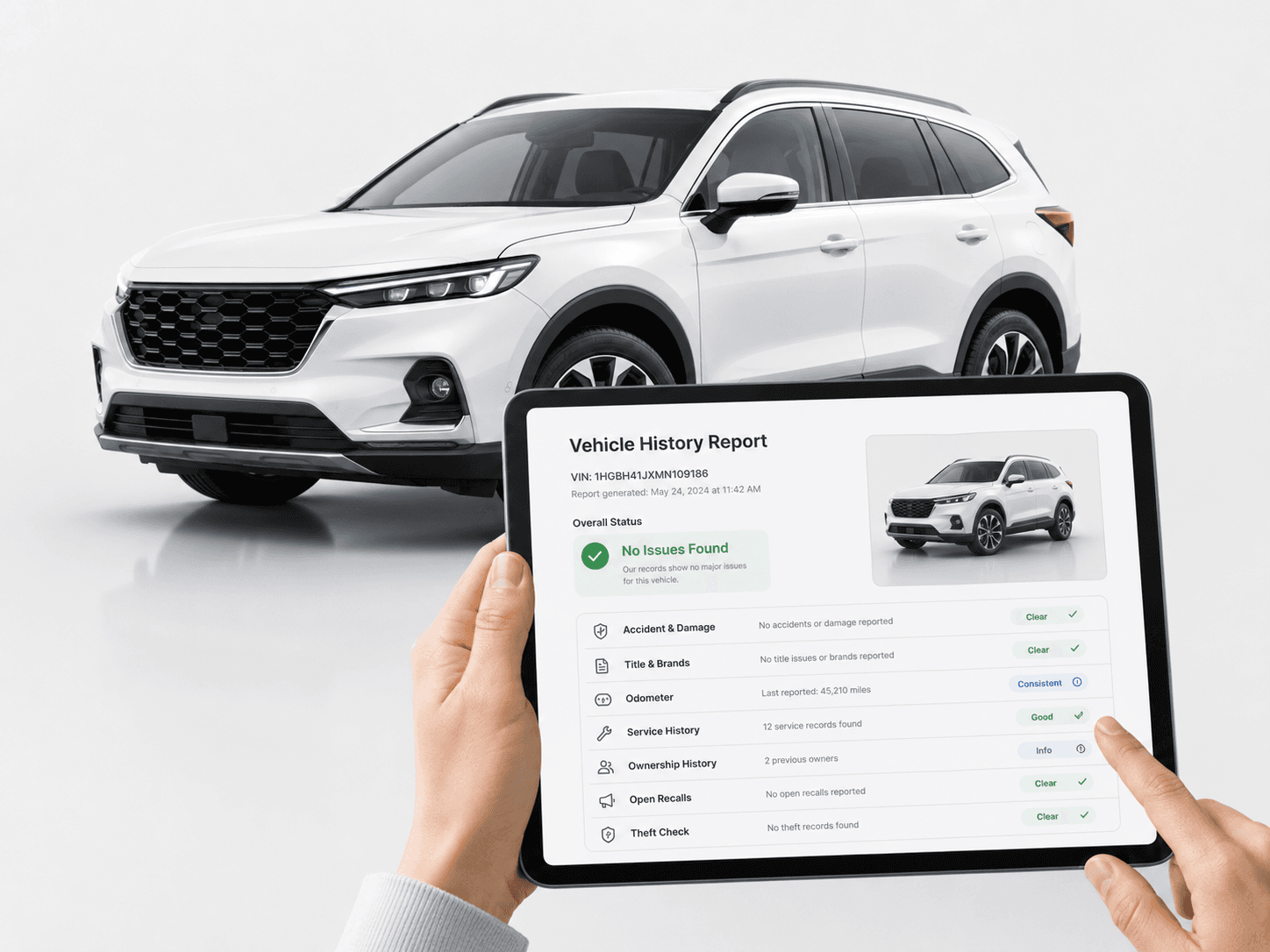
From VIN to full history
in 4 steps.
- 01
Enter the VIN
Start with the vehicle's 17-character VIN.
- 02
Confirm the vehicle
Make sure the VIN matches the car.
- 03
Review available history
See what information may be available to review.
- 04
Unlock the full report
Access the complete history when you're ready.
VIN Basics
What is a
VIN number?
A Vehicle Identification Number, or VIN, is a unique 17-character code assigned to a vehicle. It works like the vehicle's fingerprint and helps identify important details about the vehicle.
A VIN can help identify details such as the manufacturer, vehicle description, model year, assembly information and unique serial sequence.
- Unique vehicle identifier
- 17 characters
- Identifies vehicle information
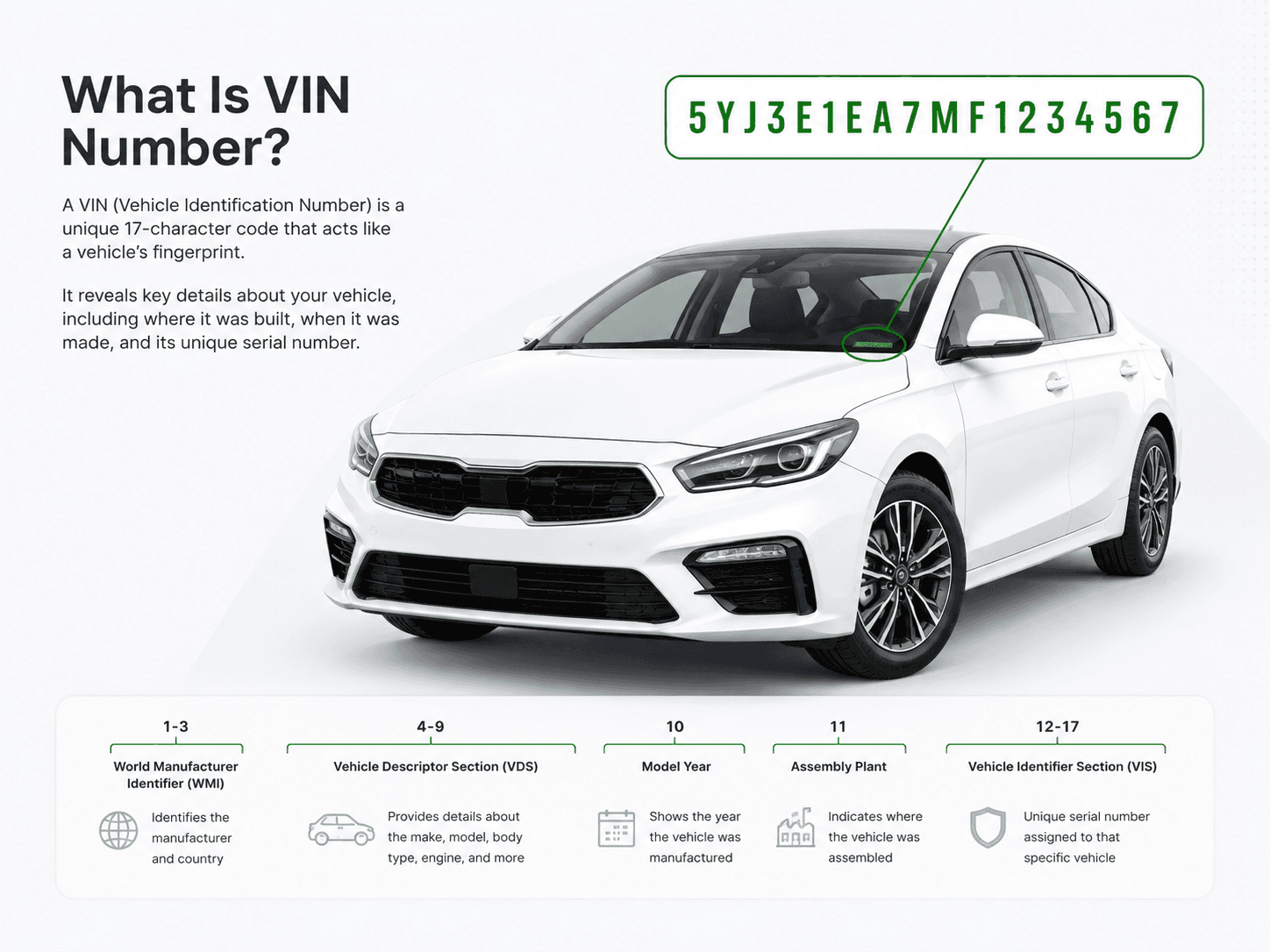
VIN structure
- 1–3ManufacturerWorld Manufacturer Identifier — the maker and country of origin.
- 4–8Vehicle DescriptorModel line, body style, restraint system and engine family.
- 9Check DigitA calculated value used to validate the rest of the VIN.
- 10Model YearThe year the manufacturer assigned to the vehicle.
- 11Assembly PlantThe factory where the vehicle was built.
- 12–17Serial NumberThe unique production sequence for this individual vehicle.
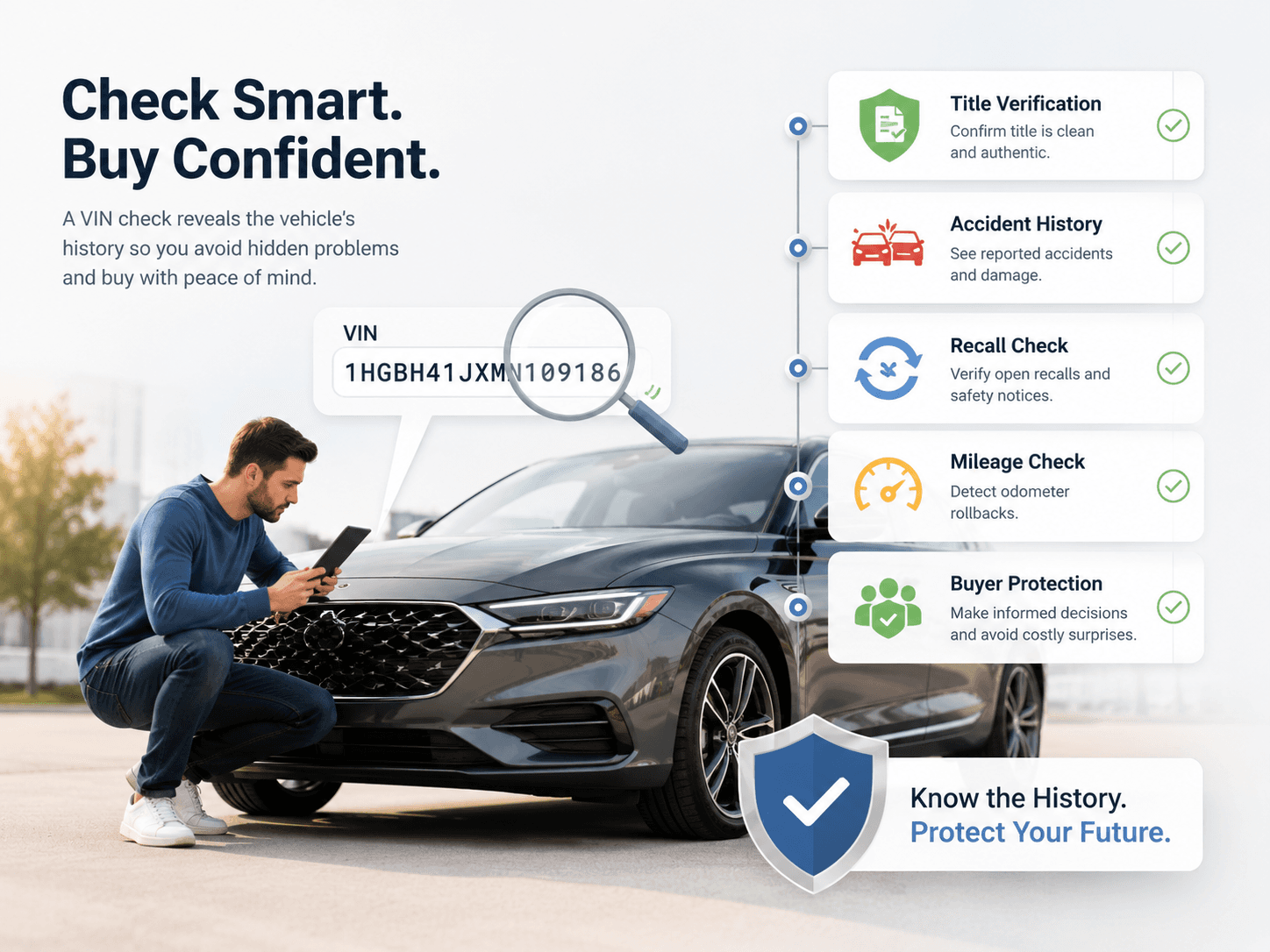
Before you buy
Why check the VIN
before buying a car?
A listing, inspection and test drive show you the vehicle as it is today. Available VIN and history information can add useful context about the vehicle you're considering.
- 01
Confirm the vehicle
Make sure the VIN information matches the car being advertised.
- 02
Review title information
See available title-related information that may be worth understanding.
- 03
Check accident & damage history
Review available accident and damage-related records.
- 04
Compare odometer information
Review available mileage records over time.
- 05
Check recall information
Look for available recall-related information.
- 06
Ask better questions
Use what you learn when talking to the seller or an independent inspector.
The listing shows you the car.History adds context
to the story.
Use available vehicle information alongside the seller's description, inspection and test drive.
- See
- Drive
- Check
- Decide
- 01
Before buying
Review vehicle identity and available history before committing.
- 02
When selling
Having vehicle information ready can help answer buyer questions.
- 03
While owning
Stay informed about relevant vehicle information such as available recall details.
Report categories
What you can review
in a vehicle history report.
Available information can vary by vehicle and data source.
Selected category
Accident & Damage
Review any reported damage events found in the sources we query for this vehicle.
- Available damage records
- Reported event dates
- Severity as reported
- Source coverage
- Report guidance
Start with the vehicle.
Go deeper when you need to.
Free VIN check
- VIN validation
- Year
- Make
- Model
- Manufacturer
- Available basic specifications
- Available recall information
Full vehicle history
- Title information
- Accident & damage-related records
- Odometer history
- Auction / sales information
- Theft / salvage-related information
- Additional available history
Unlocking does not guarantee every category returns records. Where a source holds nothing for a VIN, the report says so.
Better information.
Better questions.
HistoryByVin helps organize available vehicle information into an experience designed for used-car research. Data availability can vary by vehicle and source.
A vehicle history report should complement—not replace—an independent mechanical inspection.
Common questions
about VIN checks.
A VIN check uses a vehicle's 17-character Vehicle Identification Number to identify the vehicle and show which categories of history information may be available to review before you buy.
It identifies the vehicle — year, make, model and specifications decoded from the VIN — and indicates which history categories, such as title, accident and damage, odometer and recalls, may have information available in a full report.
Look at the driver-side dashboard where it meets the windshield, inside the driver-side door jamb, and on the title, registration and insurance paperwork. Many listings also publish the VIN in the description or photos.
Since 1981 a standardized VIN has been fixed at 17 characters. The fixed length lets each position carry a defined meaning — manufacturer, vehicle descriptor, check digit, model year, assembly plant and a unique serial sequence.
They are excluded because they are easily confused with the digits 1 and 0. A character that looks like an I or an O in a VIN is a 1 or a 0.
A VIN decoder translates the VIN itself into build details such as make, model, model year and assembly plant. A VIN check goes further and looks at which vehicle-history categories may have records available to review.
A full report can include accident and damage-related records where a queried source returns them. Where a source has nothing on file, the report says so — that is a statement about the data, not confirmation that the vehicle was never in an incident.
A full report can include title-related information and title brands where they are available from the sources queried for that vehicle.
A full report can include reported odometer readings recorded over time where available, which you can compare for consistency.
No. A vehicle history report should complement — not replace — an independent mechanical inspection, used alongside the listing and a test drive.
Availability varies by vehicle and data source. Where a category has no record, the report states that rather than leaving it blank, and “no record returned” should be treated as a question to ask rather than as reassurance.
Start by entering the VIN to identify the vehicle and see what is available, then unlock the full history when you are ready.
Check the vehicle
Start with the VIN.
Enter the vehicle's 17-character VIN and begin your research.